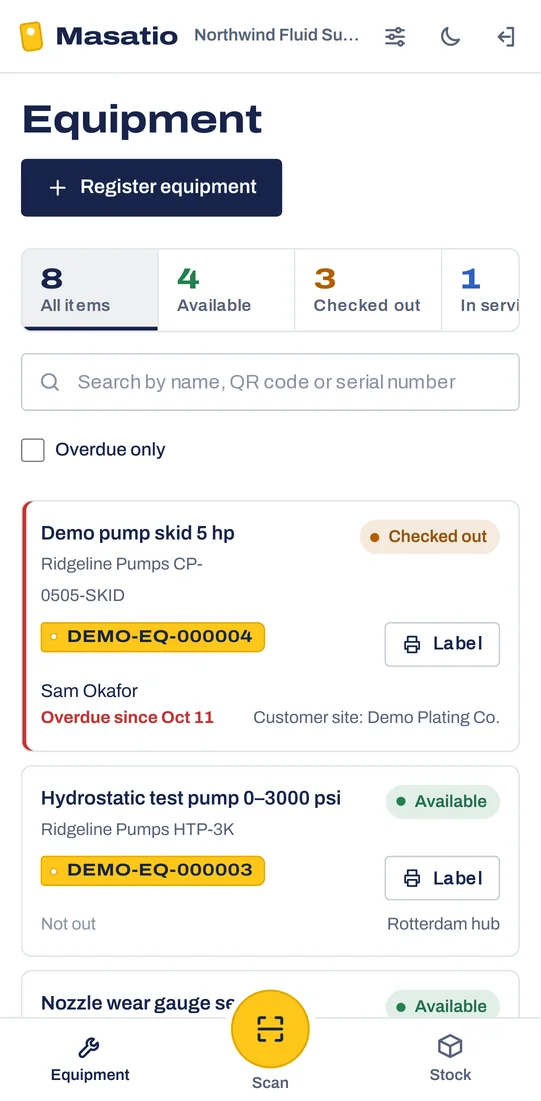
Know who has the pump.
Masatio puts a QR tag on every tool, test rig and pump your team lends out. Anyone scans it with a phone to check it out or back in, and you see what is out, with whom, and what is overdue. Stock in your warehouses, vans and job sites sits in the same place.
14 days free, no card. Works in the phone's browser; nothing to install.
How it works
-
1
Tag it
Register an item or import your Excel list. Masatio gives each one a code; print the label and stick it on. Labels you already use can keep their codes.
-
2
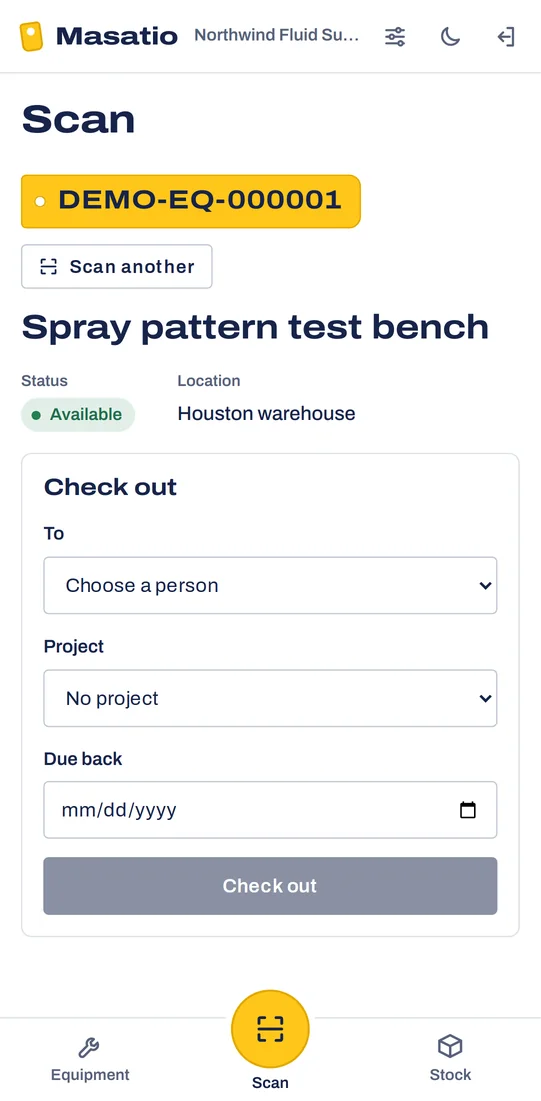
Scan it out and back
A technician scans the tag, picks who takes it, the project and the due date. On return they note the condition; damaged items go straight to service.
-
3
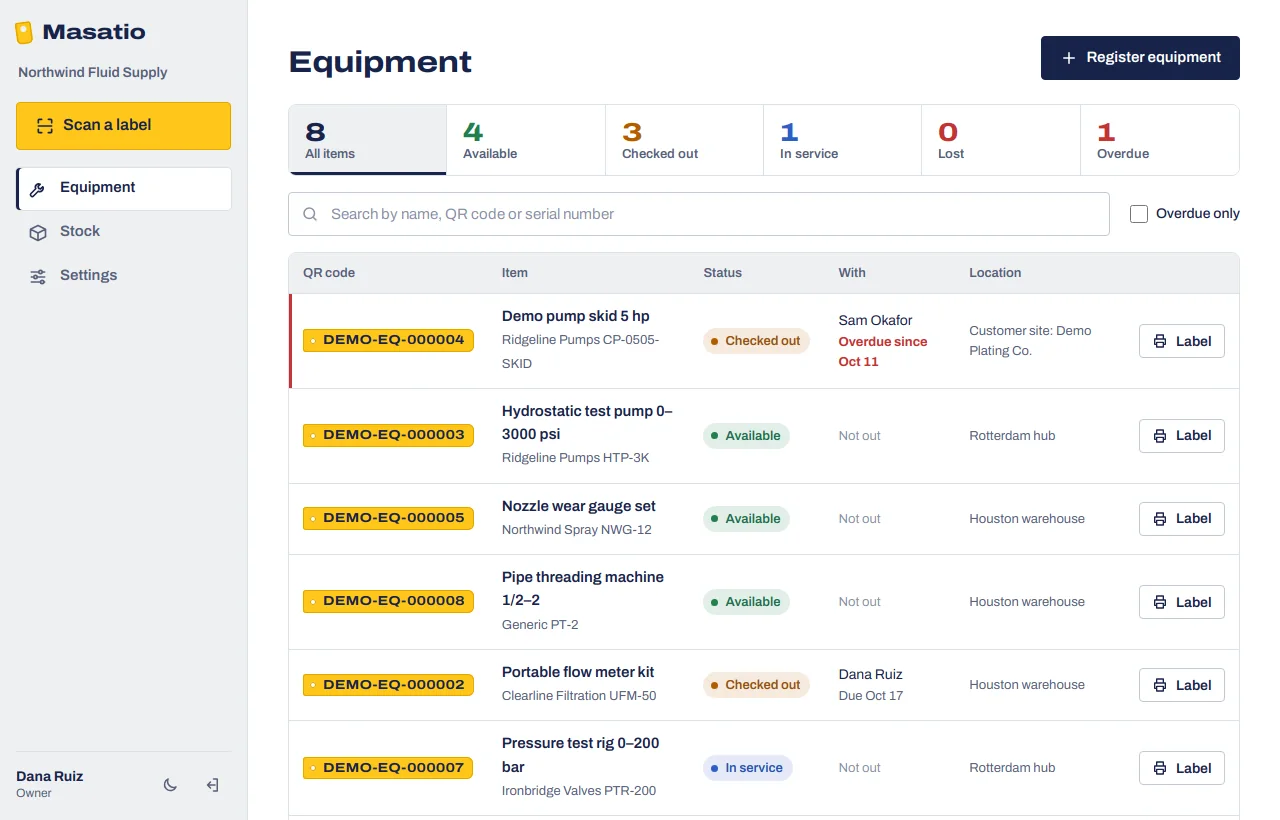
See what is out
One list shows every item by status, who has it and when it is due. Overdue items are flagged, and you can filter to them in one click.
Equipment and stock, one place
Built for distributors and manufacturers who lend tools to their own crews, rent rigs to customers, or keep spare parts in more places than one warehouse.
- Check-out with due dates
- To a person and a project. Technicians do not need a login of their own.
- Stock in every location
- Receive, issue, transfer and count. Reorder levels flag what to buy.
- Works without signal
- Scans in a basement or a yard are kept on the phone and sent when it is back online.
- Bring your Excel lists
- Save as CSV, check it, import it. A file with a problem changes nothing until it is fixed.
- Roles for everyone
- Owners, admins, managers, operators and viewers each see and change only what they should.
- Your units and currency
- Imperial or metric, US dollars, euros, pounds and more. Each company keeps its own settings.
More modules on the same tags
Masatio is modular. Tracking comes first; the next modules use the same catalogue and the same QR codes.
- Available now
Equipment and stock tracking
Everything on this page.
- In development
Product selector
Your sales team and customers find the right part from the application's numbers, across your whole catalogue.
- In development
Savings report
Show a customer what switching to your product saves them, as a report with your name on it.
Pricing
Start with a free trial. After that, one monthly price per company, based on how many items you track. We quote it on the demo call, in your currency.
Free trial
14 days
- Up to 5 people signing in
- Up to 250 tracked items
- Every feature, demo data included
- No card needed
Questions
Do my technicians need an app or an account?
No. Masatio runs in the phone's browser and can be added to the home screen. Technicians who only take equipment out are names on a list; only the people who scan need to sign in.
We already have labels on our equipment. Do we have to re-label?
No. Put your existing codes in the import file and Masatio uses them. New items get Masatio codes and printable labels.
What happens when there is no signal?
The phone keeps the scan and sends it when it is back online. If someone else changed the item in the meantime, Masatio tells the person instead of guessing.
Can we run more than one company or branch?
Yes. One sign-in can belong to several companies, and each one keeps its own lists, settings and QR codes.
What do we need to start?
Your equipment or stock list in Excel, a label printer or plain sticker paper, and the phones your team already carries.
Book a demo
Twenty minutes on a video call. We load your own equipment list, show it on a phone, and answer pricing questions.